
I’ve been engaging more often in conversation analysis: recording dialogues, transcribing them, and diving into qualitative analysis to uncover patterns, connections, and conversational dynamics.
I find the beauty in this type of work is in its inherent subjectivity—the interconnectedness of research and the researched. Despite all efforts to remain neutral and test our assumptions, there is always some element of subjectivity.
It is also endless. Who I am shapes what I see. If I’m a new person everyday – as I’m constantly learning and acquiring new perspectives – every time I engage with the analysis I’ll notice something different. The conclusion is that an analysis is only finished in its deadline – it is a point in time where you create a snapshot of something that is actually a continuum.
One practical challenge I’ve encountered when actually sitting down to analyze a conversation is the tension between the linear nature of a transcribed text and the non-linear nature of its analysis. The material we engage with is a text, a transcript of an interview, and so it’s linear by nature. The process of analyzing, however, can be seen as “de-linearizing” it, finding patters and connections between its parts.
I started visualizing the text, printed in front of me, as a mathematical space, and the connections as folding its plane. Something like this:
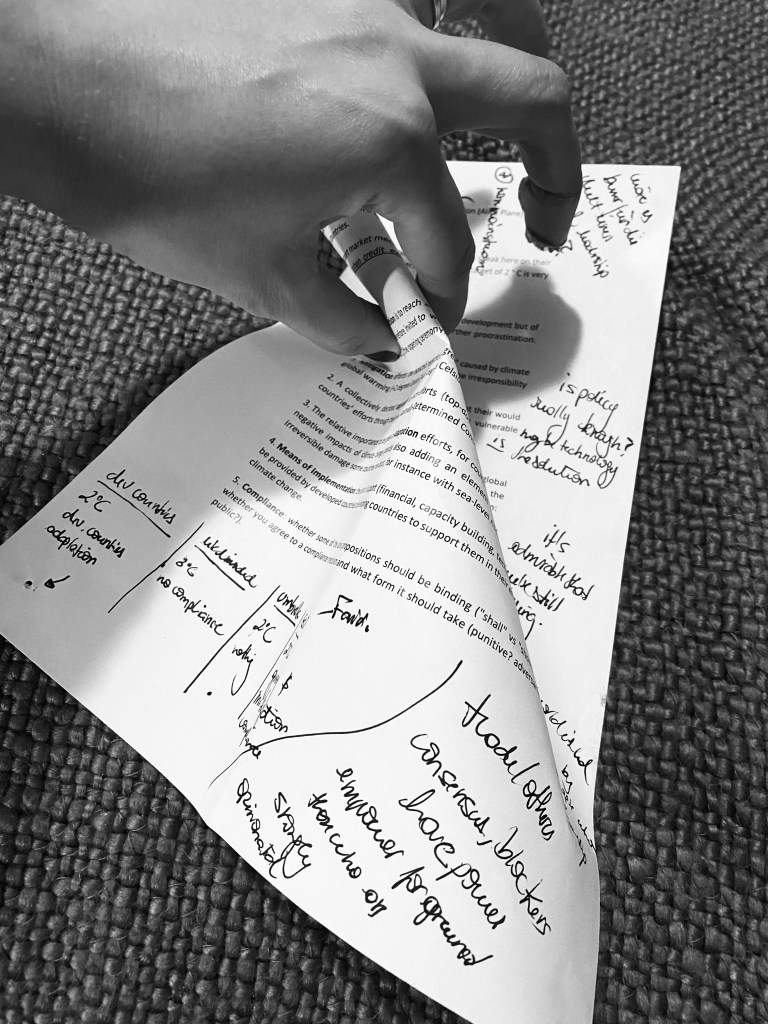
When analyzing the text, I move back and forth, focusing on different topics at various times. Navigating a long transcript can be disorienting. “Where was that part when she mentioned where she was born?” The text’s linear nature requires me to constantly shift from macro to micro level: I either see the whole thing, observing the colored pattern of different codes, or I see the small parts of it, the sentences, losing sight of the whole. This got me thinking what would it be like to navigate through a text, really just like we navigate space…
Here’s how such tool might work:
We start by uploading the audio or transcript of our conversation.
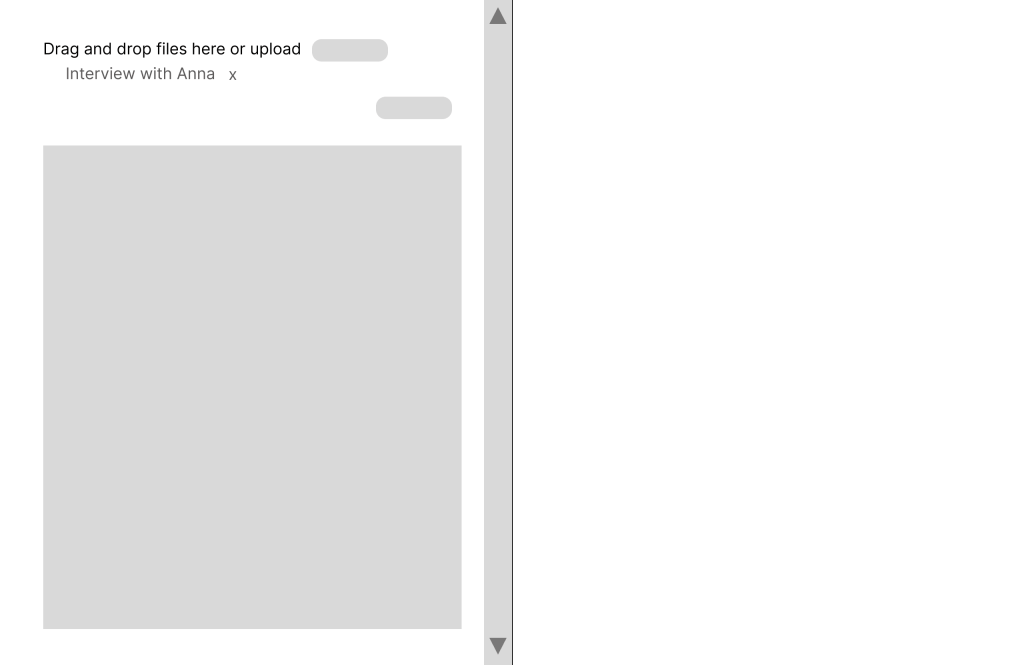
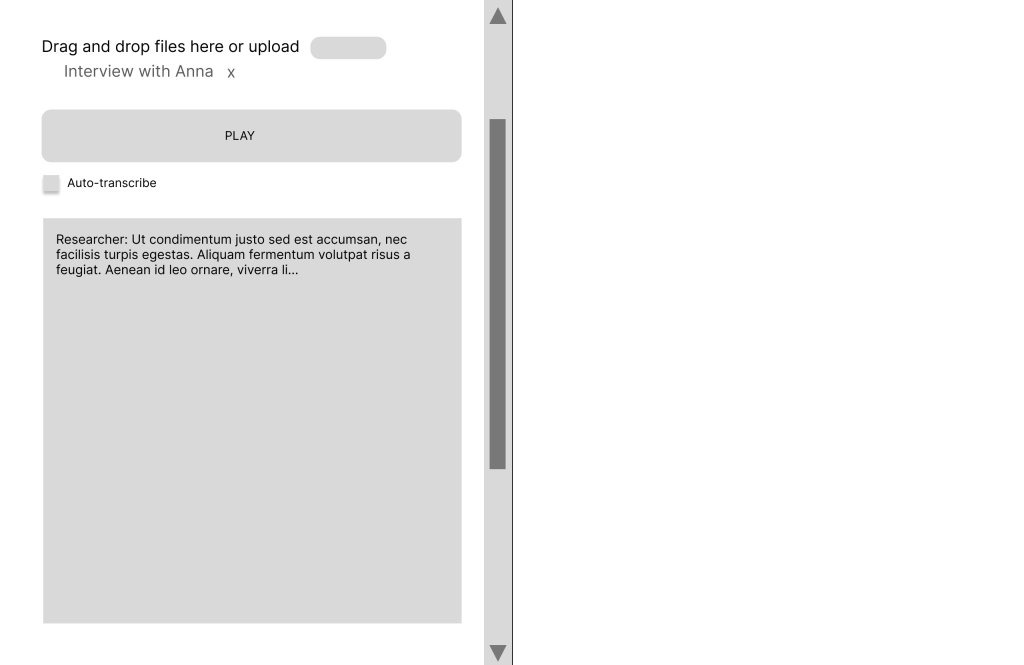
We can transcribe the conversation ourselves, very valuable for in-depth analysis, or have it auto-transcribed, while following along to make corrections. We can play/pause the audio in the same space as we edit the text, instead of moving back and forth from multiple devices / windows.
There is a commenting and a coding code. I find that commenting impressions and general thoughts in the same place where I’ll later code the conversation is very helpful. The improvements in these tool are all about space. One we click the commenting mode, the comments are shown.

As we analyze the text, we define dimensions and codes. Dimensions are overarching categories like geography, age, or topic. For example, in an interview where a participant discusses experiences in various places, or narratives that span across different stages of life, we can create codes such as “location A”, “location B”, “location C” within the category “locations”.
There is inherent value in manually coding the transcript —this process is part of the analysis itself – but there could be a version where categories and codes are generated automatically.
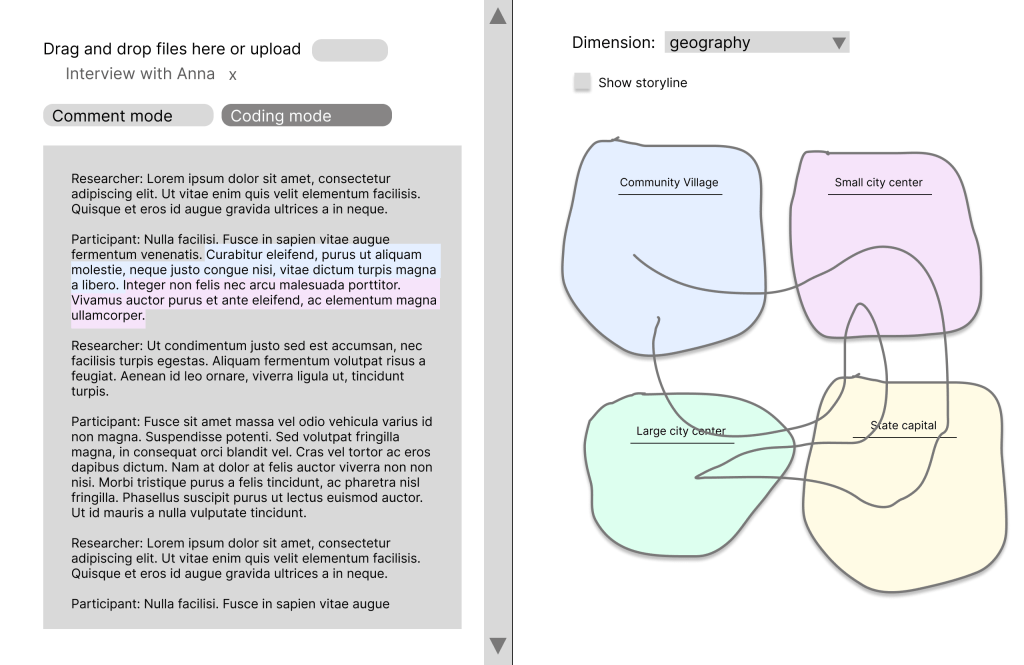
As we code, a visual representation is created on the right.
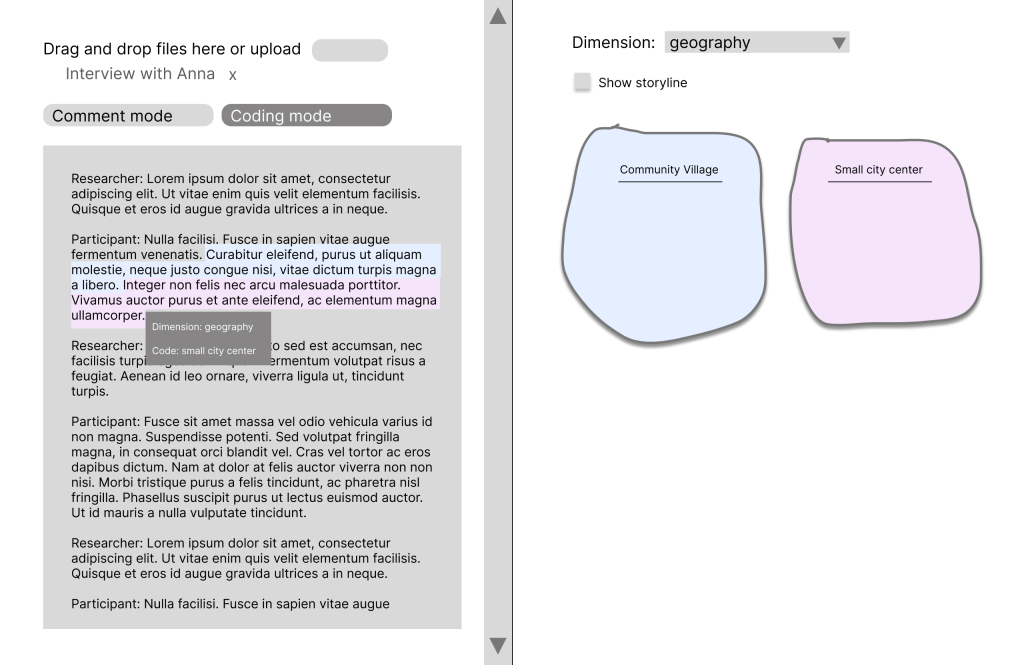
The key feature is a storyline representation: a line showing how the conversation flowed between topics. This gives us both micro (text, sentences), macro (dimensions, codes) levels and the flow (the order of topics emerged) in a single view.
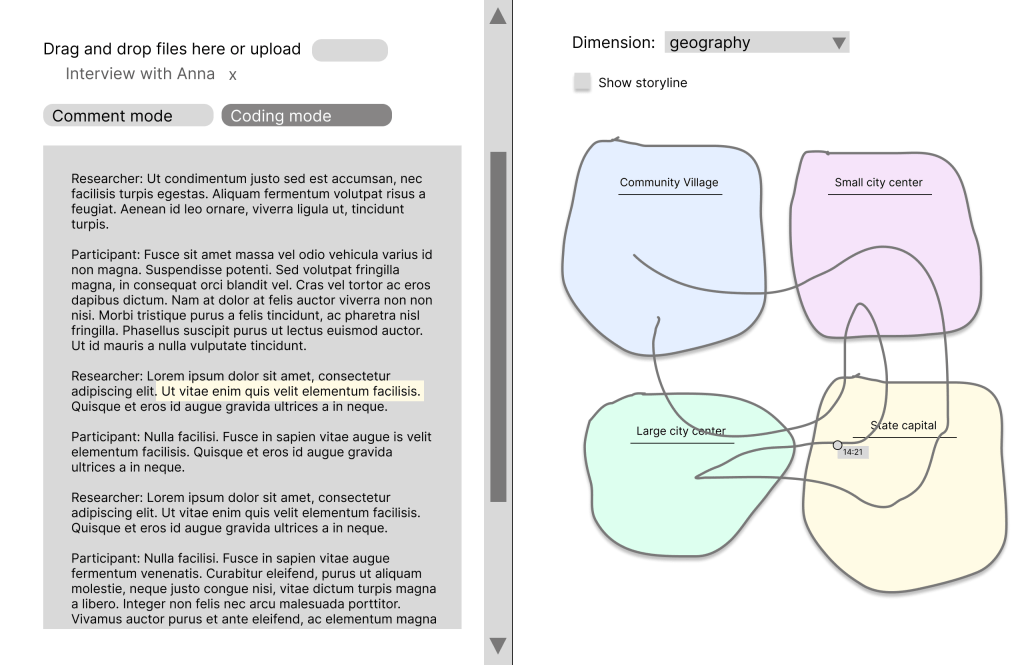
Hovering over the storyline reveals timestamps. Clicking on a point in that line takes you directly to that segment in the text, so you can use this map on the right side to navigate seamlessly. You use the macro level to find the micro level.
This also allows us to see the multiple mentions of a topic and immediately understand their place within the conversation’s overall flow. In this case, for instance, we quickly notice that the state capital was mentioned in three different moments in the conversation.
 BEATRIZ ZANFORLIN
Leave a comment